Step-by-Step IPTV Setup Guide

Guru IPTV Setup Guide โ€” Install on Any Device in Minutes

Follow our simple step-by-step guide to activate Guru IPTV on Firestick, Android, Smart TV, iPhone, MAG Box, PC and more. Takes less than 5 minutes on every device.

Amazon Firestick IPTV
Firestick
Android IPTV
Android
iPhone iPad iOS IPTV
iPhone/iPad
Samsung Smart TV IPTV
Smart TV
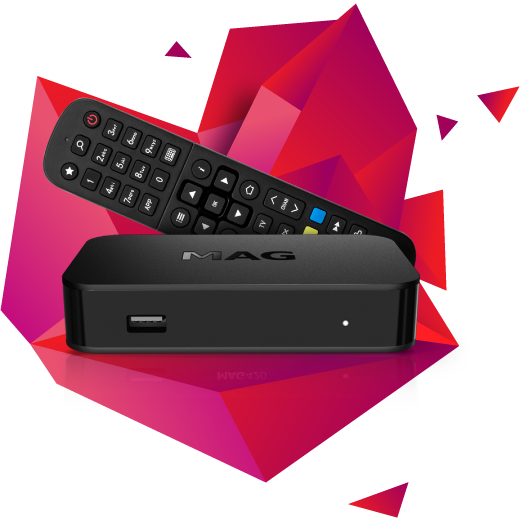
MAG Box IPTV
MAG Box
Windows PC Mac IPTV
PC / Mac
Android Box Roku IPTV
Android Box
Before You Start

What You Need to Get Started

Make sure you have these 3 things ready before following the setup guide below.

๐Ÿ“‹
Active Guru IPTV Subscription
You need an active subscription to receive your login credentials. Get a plan from $290.
๐Ÿ“ถ
Internet Speed: 10 Mbps+ for HD / 25 Mbps for 4K
A stable broadband connection is required. Most US home internet connections work perfectly.
๐Ÿ“ง
Your Welcome Email with Credentials
After purchase you receive your server URL, username and password by email. Keep it ready before you start.

How to Install Guru IPTV on Amazon Firestick

Installing Guru IPTV on Firestick is the most popular IPTV setup method in the USA. Follow these steps on how to install IPTV on Firestick and you will be streaming 15,000+ channels in under 5 minutes.

1
Go to Settings โ†’ My Fire TV โ†’ Developer Options and enable Apps from Unknown Sources.
2
Return to the home screen, search for "Downloader" and install it from the app store.
3
Open Downloader and enter the IPTV app URL provided in your Guru IPTV welcome email.
4
Install the IPTV player โ€” we recommend TiviMate or IPTV Smarters Pro.
5
Open the app and select "Add Playlist via URL" or "Xtream Codes API".
6
Enter your Guru IPTV username, password and server URL from your welcome email.
7
Tap Connect โ€” your 15,000+ channels load instantly. Start streaming.
๐Ÿ’ก Pro Tip

TiviMate gives the best Firestick experience โ€” built-in EPG guide, catch-up TV and multi-screen support.

Recommended Apps
TiviMate
TiviMate
Best for Firestick
IPTV Smarters Pro
IPTV Smarters Pro
Free alternative
Having trouble? Visit our FAQ or contact 24/7 support.

How to Set Up Guru IPTV on Android

Setting up IPTV on Android is quick and straightforward. This guide on how to set up IPTV on Android works for all phones and tablets โ€” Samsung, OnePlus, Pixel and more.

1
Go to Settings โ†’ Security and enable "Install Unknown Apps" for your browser.
2
Download IPTV Smarters Pro or GSE Smart IPTV from the Google Play Store.
3
Open the app and choose "Login via Xtream Codes API".
4
Enter your Guru IPTV server URL, username and password from your welcome email.
5
Tap Add User โ€” all channels and VOD content sync automatically.
6
Go to Live TV and start streaming in HD and 4K.
๐Ÿ’ก Pro Tip

Enable background data for the IPTV app in Android settings so the EPG guide loads faster on every startup.

Recommended Apps
IPTV Smarters Pro Android
IPTV Smarters Pro
Play Store โ€” Free
Having trouble? Visit our FAQ or contact 24/7 support.

How to Install Guru IPTV on iPhone / iPad

Getting Guru IPTV running on your iPhone or iPad takes under 5 minutes. The App Store has excellent IPTV apps that work perfectly with your subscription on all iOS devices.

1
Open the App Store and download "IPTV Smarters Pro" or "GSE Smart IPTV".
2
Open the app and tap "Add Playlist" then select "Xtream Codes API".
3
Enter your Guru IPTV server URL, username and password from your welcome email.
4
Tap Login โ€” all your channels load in under a minute.
5
Browse Live TV, Movies or Series from the bottom menu and start streaming.
๐Ÿ’ก Pro Tip

GSE Smart IPTV on iOS has the cleanest Apple-native interface with full EPG support and smooth playback.

Having trouble? Visit our FAQ or contact 24/7 support.

How to Set Up Guru IPTV on Smart TV

Guru IPTV is the best IPTV for Smart TV USA. Works on Samsung, LG, Sony and all major brands. Big-screen HD and 4K streaming โ€” set up perfectly in minutes.

1
Open your Smart TV app store โ€” Samsung App Store or LG Content Store.
2
Search for "Smart IPTV" or "IPTV Smarters" and install it.
3
Open the app and note your Smart TV MAC address shown on screen.
4
Visit the activation URL shown in the app from your phone or PC.
5
Enter your Guru IPTV M3U playlist link from your welcome email and save.
6
Restart the app on your Smart TV โ€” channels are ready to stream.
๐Ÿ’ก Pro Tip

Some Smart TVs require a one-time $5.49 Smart IPTV activation. It is a one-time cost worth paying for the full experience.

Having trouble? Visit our FAQ or contact 24/7 support.

How to Set Up Guru IPTV on MAG Box

MAG Boxes are purpose-built IPTV devices that deliver excellent streaming quality. Setup uses the Stalker Portal method and takes just a few minutes.

1
Go to MAG Box Settings โ†’ Servers โ†’ Stalker Portal.
2
Enter the Guru IPTV portal URL from your welcome email in the Portal URL field.
3
Save the settings and restart your MAG Box.
4
The full channel list loads automatically on reboot โ€” no further setup needed.
5
Use your remote to browse Live TV, VOD and catch-up content.
๐Ÿ’ก Pro Tip

Make sure your MAG Box MAC address matches the one registered in your Guru IPTV account. Contact support to update if needed.

Having trouble? Visit our FAQ or contact 24/7 support.

How to Set Up Guru IPTV on PC / Mac

Stream Guru IPTV on your Windows PC or Mac in minutes. No technical knowledge needed โ€” download a player, enter your credentials and start watching immediately.

1
Download VLC Media Player or IPTV Smarters for Windows from their official sites.
2
Open VLC โ†’ Media โ†’ Open Network Stream from the top menu bar.
3
Paste your Guru IPTV M3U playlist URL from your welcome email.
4
Click Play โ€” all channels load immediately. Start streaming.
5
For a better experience download IPTV Smarters Pro for Windows and login with Xtream Codes.
๐Ÿ’ก Pro Tip

Mac users โ€” IPTV Smarters is on the Mac App Store and gives the best experience with full EPG and VOD library support.

Recommended Apps
IPTV Smarters Pro PC Mac
IPTV Smarters Pro
Windows & Mac
Having trouble? Visit our FAQ or contact 24/7 support.

How to Set Up Guru IPTV on Android Box / Android TV

Android Box and Android TV deliver a premium big-screen IPTV experience. With Guru IPTV and TiviMate your Android TV becomes the ultimate streaming device.

1
Open the Play Store on your Android Box or Android TV.
2
Download TiviMate or IPTV Smarters Pro โ€” both work perfectly.
3
Open the app and go to Add Playlist โ†’ Xtream Codes API.
4
Enter your Guru IPTV server URL, username and password from your welcome email.
5
Tap Connect โ€” channels sync in under 30 seconds.
6
Use your remote to navigate Live TV, VOD and Series โ€” 15,000+ channels on the big screen.
๐Ÿ’ก Pro Tip

TiviMate with a one-time $4.99 premium unlock is the best Android TV IPTV player available โ€” highly recommended.

Recommended Apps
TiviMate Android TV
TiviMate
Best for Android TV
Having trouble? Visit our FAQ or contact 24/7 support.
Recommended Apps

Best Apps to Use with Guru IPTV

Top IPTV player apps that work perfectly with your Guru IPTV subscription on every device.

TiviMate IPTV player app
TiviMate
Firestick ยท Android ยท Android TV
The most feature-rich IPTV player. Beautiful EPG guide, multi-screen view, catch-up TV and a clean interface. Top recommendation for Firestick and Android TV.
Play StoreDownloader
IPTV Smarters Pro app
IPTV Smarters Pro
All Devices
Works on every device โ€” Firestick, Android, iPhone, iPad, PC and Smart TV. Free with full Xtream Codes and M3U playlist support built in.
Play StoreApp StoreWindows
GSE Smart IPTV iOS app
GSE Smart IPTV
iPhone ยท iPad ยท Android
The cleanest IPTV app for iPhone and iPad. Apple-native design, full EPG support, parental controls and smooth playback on all iOS devices.
App StorePlay Store

Common Questions

Setup FAQs โ€” Guru IPTV

Quick answers to the most common Guru IPTV setup questions.

TiviMate is the best app for Firestick โ€” smooth interface, built-in EPG guide and multi-screen support. IPTV Smarters Pro is a great free alternative.
Setup takes less than 5 minutes on any device. Once you have your welcome email with credentials, the process is quick on all supported devices.
Copy and paste your credentials directly from the welcome email rather than typing manually. Double-check the server URL, username and password. Contact our 24/7 support team if it still does not work.
Yes, Guru IPTV supports simultaneous streaming on multiple devices under one subscription โ€” TV, phone and tablet all at the same time.
A minimum of 25 Mbps is recommended for 4K streaming. For HD 10 Mbps is enough. Most US home broadband connections work perfectly with Guru IPTV.
A VPN is not required. However it can help on some ISP networks that throttle streaming traffic.

Ready to Start Streaming? Get Guru IPTV Today

Join 20,000+ happy customers. Pay once โ€” stream 15,000+ channels for years. No monthly bills.

Get Guru IPTV Now โ€” Plans from $290